Talk it through.
Use ChatGPT, Claude, or the assistant you already know. Connect it to KlassKarma and ask it to put your plans on the calendar.
 Early access
A classroom planner powered by your own ChatGPT or Claude.
You know how much work it takes to turn lesson plans into a week’s agenda. Let ChatGPT, Claude, or the assistant you already use do the heavy lifting. Connect it to KlassKarma and watch your agenda appear like magic.
“Help me create an agenda for tomorrow on KlassKarma.”
“Move tomorrow’s math lesson to after recess on KlassKarma.”
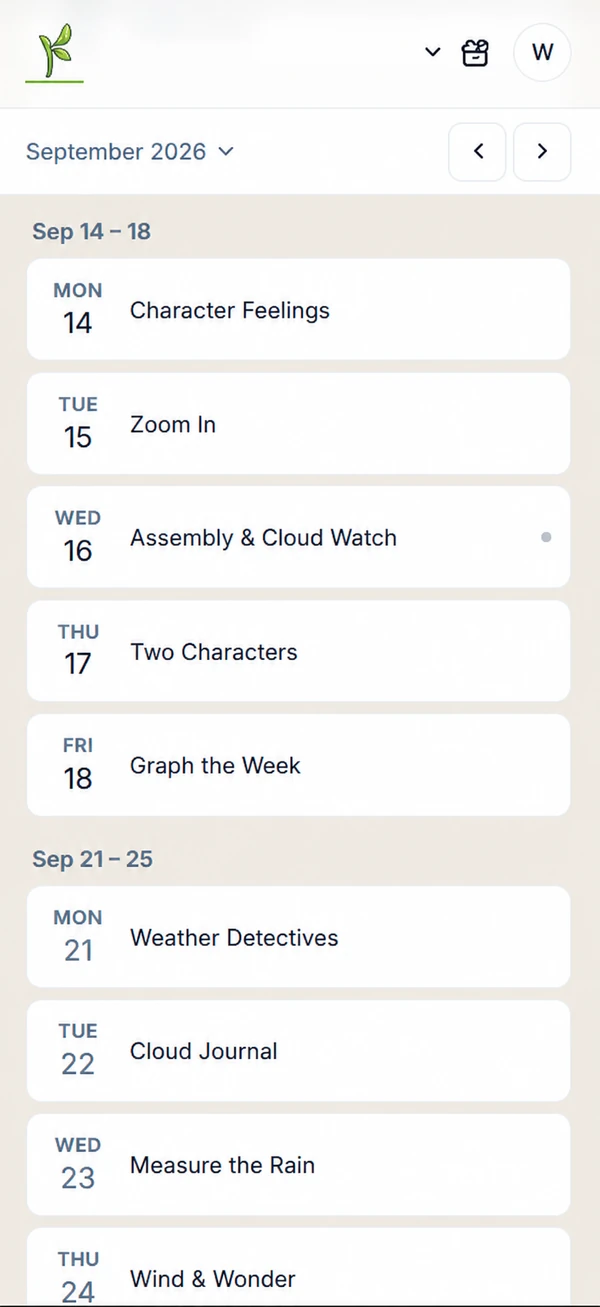
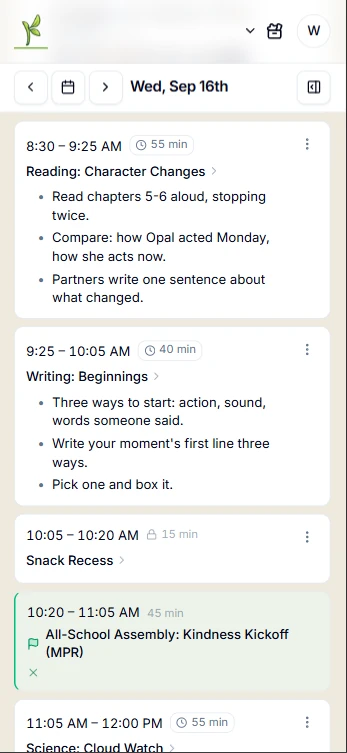

From the first day of school to the last, keep the pieces together.
Your lesson instructions, the book you’re reading, the printable you need. Keep resources attached to the lessons they belong to and sticky notes close by for the little things you don’t want to forget.

Use ChatGPT, Claude, or the assistant you already know. Connect it to KlassKarma and ask it to put your plans on the calendar.
Your agenda and the resources that go with it. Make a quick edit, print a day, a week, or agenda flash cards—or put your plans up on the classroom screen.
Books, PDFs, songs, art plans, and videos have a home in your library. What you build this year is what next year starts from.
Even when your days look different, the week grid lines up your lessons so you can follow the week’s progression at a glance.
Just received an email about a staff meeting next Thursday? Forward it to your Agent Inbox. ChatGPT or your connected assistant can check the details and help adjust your lesson plans.
You don’t have to set up fixed periods or complicated class sections. Periods, bell schedules, and A/B rotations are there if you need them. You don’t even have to type anything into the planner. Just ask your assistant to set it up. It will know what to do.
A few ways to turn a conversation into a plan.
“Here’s the link to our bell schedule. Add it to my agenda for the school year.”
“Here’s my reading curriculum for the week. Put the lessons in my agenda between recess and lunch.”
“Help me plan three days of hands-on activities about weather. Keep them appropriate for second grade.”
“Add this printable to Tuesday’s math lesson so it’s ready when I need it.”
“We have an assembly Wednesday morning. Help me rearrange the day so we still have time for reading.”
“We didn’t get to that practice sheet today. Move it to tomorrow after lunch.”
“Use last week’s schedule as a starting point. We’re moving on to fractions.”
Give your plans a home. Start with the assistant you already know and trust.
Get startedAlready using KlassKarma? Sign in